Incorporate YouTube Video Links into SharePoint Seamlessly - May 28, 2026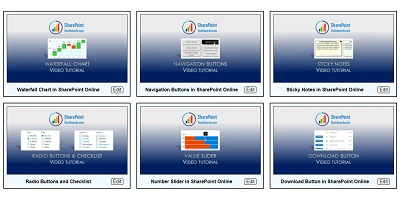
Watch a video to learn more:
|


Incorporate YouTube Video Links into SharePoint Seamlessly - May 28, 2026
Integrating YouTube Videos in SharePoint with EaseIn today's digital-centric business environment, the need to incorporate multimedia content into organizational platforms has become paramount. Now, with a simple formatting template available at SharePointDashboards.com, integrating YouTube videos into your SharePoint site has never been easier. This solution offers video preview tiles for each video by simply requiring a YouTube Video ID and Title, making the setup process remarkably straightforward. But how does this enhance functionalities like charting, visual status indicators, task management, employee management, and tracking? Let's delve deeper.The Intersection of Multimedia Content and ChartingWhen organizations showcase data through charts, adding relevant multimedia content can provide context, enhance understanding, and engage the audience. Embedding YouTube videos directly onto SharePoint pages where charts reside ensures that employees can receive comprehensive insights by viewing a detailed walkthrough or a related case study. For instance, if a company is tracking sales data, having an explanatory video next to the graphs ensures that all stakeholders understand the trends fully. Video content integrated with chart data offers a layered understanding that static charts alone might not convey.Visual Status Indicators and Task ManagementVisual status indicators are vital for quick assessments of project statuses. When combined with YouTube video previews, these indicators can be complemented by tutorials or escalation videos, ensuring team members have immediate access to any required guidance. Consider a task management scenario where employees can visually track the status of their tasks through SharePoint, with associated video instructions for each step. If an employee is new to a specific task, the embedded video can serve as an immediate training resource, increasing efficiency and reducing onboarding time.Enhancing Employee Management and TrackingWith the integration of YouTube video previews, employee management can take on a more interactive and engaging form. Training modules, compliance updates, and policy changes can be easily accessed through video content. Tracking employee engagement becomes straightforward as the system logs interactions with these video resources. In employee management, fostering connectivity and communication is fundamental. By embedding necessary training videos directly into SharePoint, HR ensures that employees have a user-friendly experience accessing and interacting with instructional content. This harmonizes with the HR processes of training and development, ultimately leading to a more informed and educated workforce.The Simplicity of SharePoint JSON FormattingSharePoint JSON formatting comes into play significantly. With this method, the appearance and behavior of SharePoint columns can be customized to better suit user needs. By applying a template to a SharePoint list view, users can manipulate how video previews are displayed and interacted with on their site. This feature streamlines the audience's experience by visually organizing content in an intuitive manner.No More Than a Click Away: Use Case ScenariosThis multimedia integration offers numerous use case scenarios. For instance, in educational institutions, video content relevant to a particular course can be embedded within student portals for easy access, augmenting the learning materials already present. In corporate settings, companies can provide executive briefings via video to employees across global offices, ensuring everyone receives identical information at the same time. Having video previews reduces the usual scatter in communication and allows for a centralized, homogeneous message distribution. These examples underscore the utility and flexibility of having video previews directly in SharePoint.Customization at Your FingertipsBeyond initial implementation, the template provides extensive configuration options available at SharePointDashboards.com. By controlling the appearance - such as border, background, and font styling - organizations can ensure that the video tiles align seamlessly with their brand's visual identity. This customization extends to practical elements of usage. Whether for association with employee manuals, frequently updated corporate announcements, or team-building presentations, the visual settings offer the ability to enhance user interaction with the SharePoint environment.A Must-Have Tool for Modern OrganizationsIn conclusion, integrating YouTube video content into SharePoint using this template is invaluable for organizations that leverage video for disseminating training or company updates. The ability to deliver rich, multimedia content directly within organizational tools fosters an interactive, comprehensive, and user-friendly environment essential for modern corporate communication and education. By streamlining the integration of multimedia resources, this template alleviates potential technical barriers and puts control directly into the hands of users. As organizations continue to prioritize both procedural efficiency and employee engagement, tools like these encapsulate the forward-thinking approach necessary in our digital age.Watch a video to learn more:
|